Update Matomo
This page explains how to update Matomo to the latest version. We hope you will always use the latest version of Matomo and have made upgrading a very easy and safe process. There are two main methods:
The One-Click Matomo Update (Auto Update)
You can use the one-click upgrade and update your Matomo in 10 seconds – in just one click of a button!
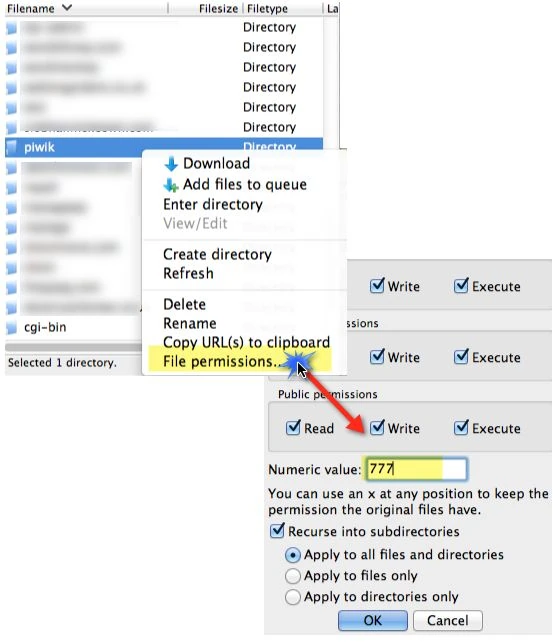
Step 1: Set Write Permissions on the Matomo folder with FTP
To carry out the one-click update, the Matomo folder needs to have the correct permissions on your web server, to allow Matomo to download the file, extract Matomo and overwrite the existing files.
Please give write permission via your FTP software (CHMOD 0755) to your Matomo root folder. In some cases, the auto update might still not work, try to change the owner of the Matomo to your web server user. Alternatively you can also temporarily set CHMOD 0777, but please be aware that this can be risky on shared environments. It is therefore important to undo this action right after you completed the update.
After the one click update has successfully completed, you may also choose to change back your Matomo folder and files to read only permissions. Important: the tmp/ folder must be writable at all times. Note that if you use the GeoIP auto updater feature, you will also need to make the misc/ folder writable.
Click on the Alert Box in Matomo
Login as a Super User in your Matomo, then go to “Administration”. At the top right, you will see the info box which looks like this:
When a new version of Matomo is available, you’ll be alerted in this box.

Once a new Matomo version is released, the message may take up to 8 hours to appear in the alert box.
Read the Message and Click Update Automatically
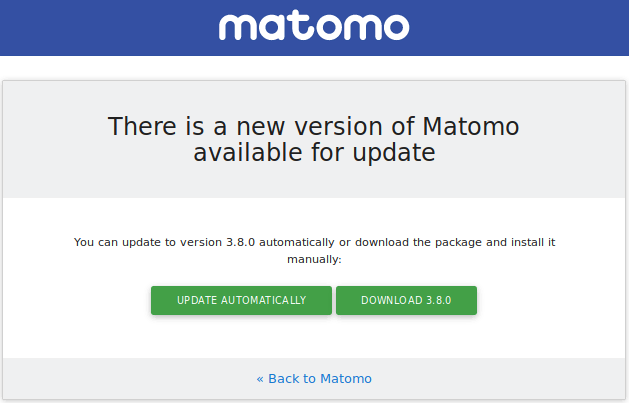
Watch the magic!
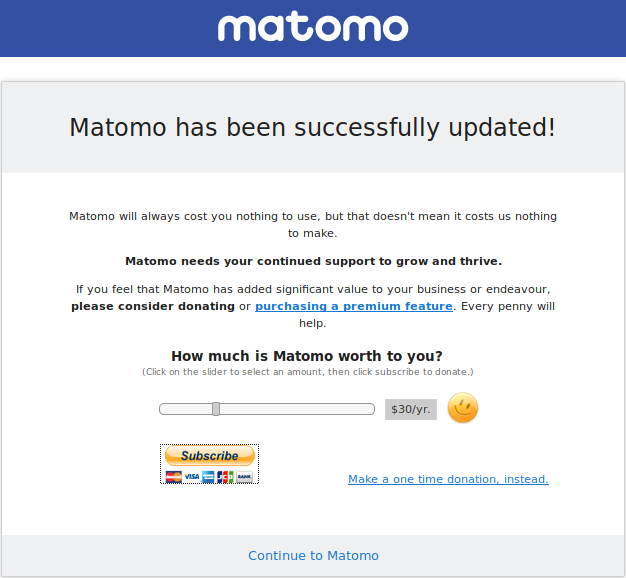
Treat Yourself
Your Matomo is now updated! Why not share your experience with others by writing a blog post, or spend some time doing new analysis on the Matomo numbers? Have you tried looking at your top websites referrers or sorted by decreasing bounce rate?
Or simply sit back for a few moments and enjoy the beauty of life!
The Manual Three-Step Update
If for some reason the one-click update doesn’t work for you, you can still update Matomo using FTP.
1) Back up your Configuration File
Please back up your Matomo configuration file. You can find this at:
config/config.ini.php
This file contains the details for your existing installation, e.g. your database sign-in information and list of enabled plugins. This file would only be needed (along with your full database backup) in case you need to restore your Matomo instance and data at a later point.
2) Replace the Matomo files with the latest version
You can download the latest Matomo release from builds.matomo.org/matomo.zip. After downloading it, you can extract it to your computer.
If you upload these files using FTP to your Matomo server, please make sure all files are transferred in binary mode.
If you have SSH access to your server you can download the latest version and extract it directly from the server hosting Matomo:
# go into the the directory that contains your existing "matomo/" installation
$ wget https://builds.matomo.org/matomo.zip # download latest version
$ unzip -o matomo.zip # extract it to "matomo/" directory
$ rm matomo.zip # delete the archive
# check for any obsolete files, Matomo 4.13.2+ only
$ ./console diagnostics:unexpected-files
# delete any obsolete files, Matomo 4.13.2+ only
$ ./console diagnostics:unexpected-files --delete
# read below for the next step
3) Update Matomo
Visit your Matomo installation in your web browser. If your new instance of Matomo requires changes to be made to the database, you will see this screen:
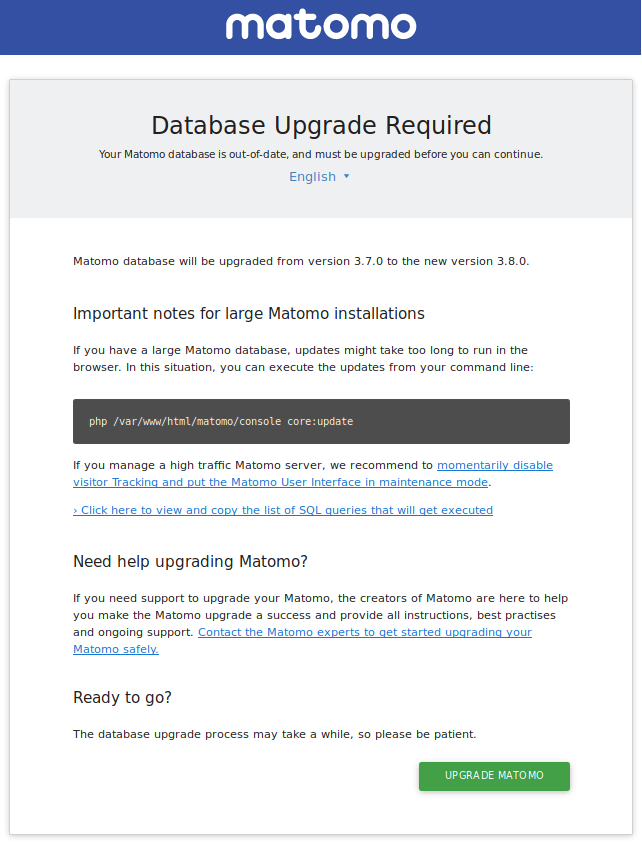
This will update your database so that it is compatible with the latest code.
Please be patient: database updates (for example adding a new index) can take a few minutes. Do not close your browser or click refresh during this process. If you fail to carry out this step correctly your Matomo installation may display incorrectly or not work at all.
Database Upgrade for High Traffic Matomo Servers
For high traffic websites, where the update process could take from a few minutes to a few hours, it is highly recommended that you run the database update process in the command line. You can trigger the Matomo update by calling in your shell
$ ./path/to/matomo/console core:update
(If this command does not work, you may try alternatively: php /path/to/matomo/console core:update)
For Medium and High traffic Matomo servers, we also recommend that you turn off Visitor Tracking & turn off the Matomo User Interface while you run the upgrade on the command line. This will ensure that the DB Schema updates are finished as soon as possible and without concurrent read/write errors.
When you put Matomo in maintenance mode, no data will be tracked. There is a way to backfill the tracking requests and not lose any data: learn more in this FAQ.
After the upgrade is successful
Once Matomo is successfully upgraded to the latest version, it is recommended to visit the Admin > Diagnostics > System check report and review the report and follow any recommended actions. For example the file integrity check might indicate that there are left over files from the previous version that can now be deleted.
Need help to update your Matomo to the latest version?
If you are not sure about upgrading Matomo on your own and need help to upgrade your Matomo to the latest version, we can help you. We, the creators of Matomo, offer quality professional support and will help you schedule and smoothly upgrade your Matomo and database. For example when you have a high traffic Matomo server, a very large database, or when you are not sure about the upgrade path, we are here to help and make this process as easy as possible for you.