How do I use Custom Variables? (deprecated)
What is a Custom Variable?
A custom variable is a custom name-value pair that you can assign to your visitors (or page views) using the JavaScript Tracking API, and then visualize the reports of how many visits, conversions, etc. for each custom variable.
A custom variable is defined by a name — for example, “User status” — and a value – for example, “LoggedIn” or “Anonymous”. You can track by default up to 5 custom variables per visit and/or up to 5 custom variables per page view.
Some common use cases for custom variables are:
- Count how many users were logged in and how many were logged out.
- Count custom visit metrics, for example how many games were played, or number of Facebook Like clicks.
- Set the visit type (First time, Engaged, Customer) for each visit and then compare the stats, including visits, conversion rates and revenues between each visit type.
- For each page view, set a custom variable with the page’s category (and/or subcategory) to get a report on how many times each page’s category has been viewed.
Use Custom Dimensions instead
it is recommended to use the new Custom Dimensions feature instead of Custom Variables.
The only use case where it would make sense to use Custom Variables instead of Custom Dimensions is when a given dimension can have multiple values for a same visitor or page. For example, if you want to track Page categories and a given page or article has more than 1 category. Custom Dimensions feature does not support multiple values per dimension, but you can store multiple values for a same custom variable.
Requirements
Install the CustomVariables plugin from the Marketplace.
Tracking a Custom Variable
Custom variables are assigned in JavaScript by calling setCustomVariable( index, name, value, scope ) to set a new custom variable to a visitor (scope="visit") or to the current page view (scope="page"). The setCustomVariable() function must be called before the standard call to trackPageView(). index is the custom variable slot ID (a number from 1 to 5). You can also fetch a custom variable by calling getCustomVariable( index, scope ).
See examples and documentation in the page Javascript Tracking custom variables.
Custom variables of scope "visit" are stored in a first party cookie that is valid only for the current visit. When the same visitor returns to your site, the custom variables will be empty. If you want to persist a custom variable to a visitor, for example “UserType = Customer”, you must call the JavaScript function setCustomVariable( index, name, value, scope=”visit” ) at least once during each visit.
Custom variable names and values are limited to 200 characters in length. We recommend that you store values that are as small as possible to ensure that the Matomo (Piwik) Tracking request URL doesn’t go over the URL limit for the web server or browser.
If you measure Goals or use Ecommerce Analytics, note that when the conversion occurs Matomo will copy any custom variables of scope "visit" in the Conversion. You can then view Conversion rates by Goal (and Ecommerce conversion rate) for each of your "visit" scope custom variables.
Custom Variable Reporting
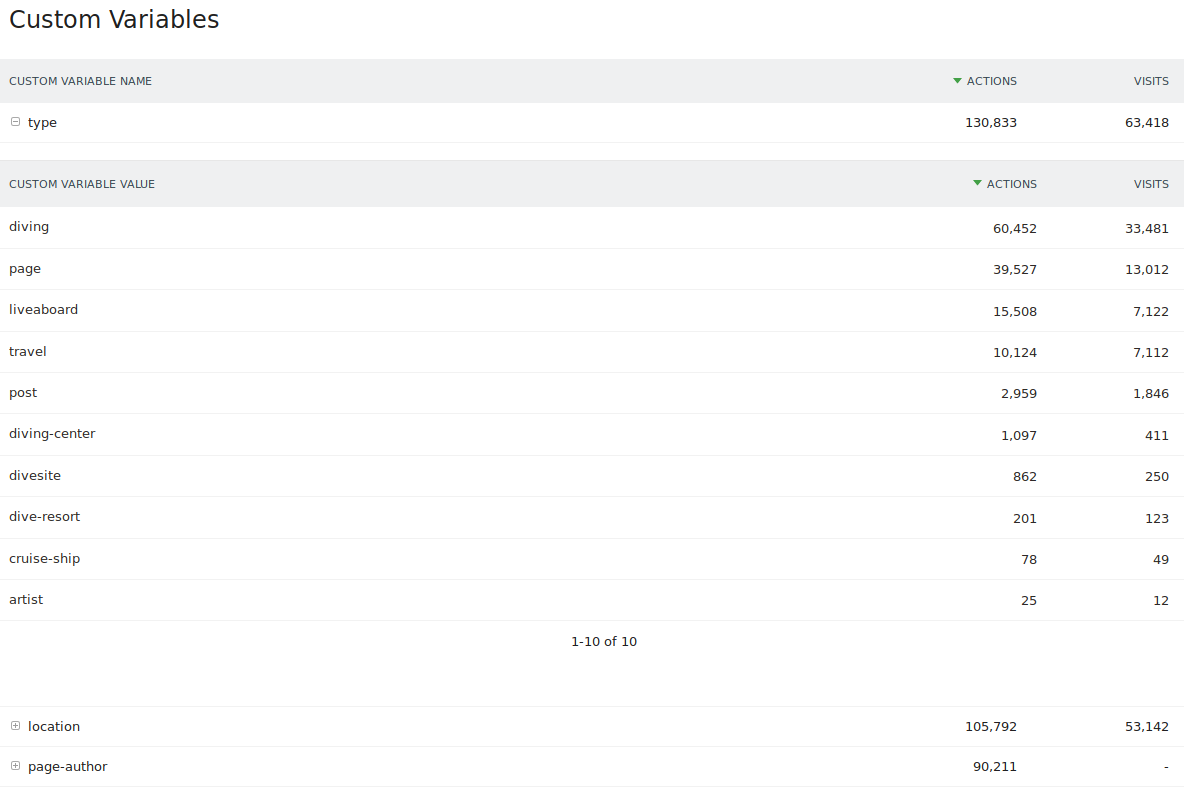
You can access the custom variable reports in the visitors menu. Matomo reports all the standard metrics: unique visitors, visits, pages, time on site, bounce rate, conversion rate, revenue, etc. These reports are for each custom variable name, and also for each custom variable value. For custom variables of scope “page”, Matomo will report the following metrics: unique visitors, visits, pages.
In the example below, we created a custom variable name = ‘Demo language’, with the value being the language the visitor is using on demo.matomo.cloud
Custom Variables in the Visits Log
The custom variables also appear in your Visitors > Visits Log report. The Green boxes on the screenshot show the custom variables “Domain landed” and “Demo language”, which have a scope of “visit”.
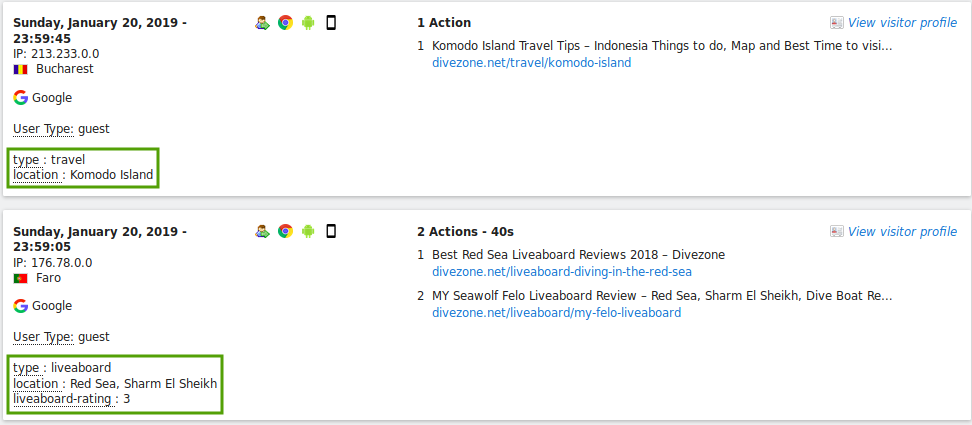
Custom variables which have a scope “page” will appear in the tooltip when you hover on the Page URL or Page Title in the Visits Log.
Usage of your Custom Variables slots
A report visible to Super Users lets you see how your Custom Variables slots are being used, which ones are still unused, and how many times a given custom variable name was set for a user.
Data Limits for Custom Variables
Custom Variables are useful to track detailed metadata about the Pages, events or visitors. Here are some more information about the data limits in use:
- You can track unlimited number of unique Custom Variables names and values.
- Each name or value is limited to 200 characters in length.
- By default, Matomo will process the top 1000 Custom Variables and will aggregate under “Others” the rest, to keep report size small and make processing efficient. You can easily configure Matomo to process all data and not truncate your reports.
- By default you can track up to 5 custom variables for a given visit and for a given page or event. You may configure Matomo to track more than 5 custom variables: See FAQ.
- Learn more about the Data Limits in Matomo
References
- What is the difference between Custom Variables and Custom Dimensions?
- Custom Variables Use cases post: Custom Variable Case Study: Divezone.net.
- Custom Variables How to blog: Using Custom Variables in Matomo.
- Custom Variables Reports API: REST API Reference.
- See also: Javascript Tracking guide: Custom variables