2020 update: There is now a new Matomo Analytics WordPress plugin available out called Matomo Analytics – Ethical Stats. Powerful Insights. Plugin name: wp-matomo, not to be confused with the other plugin mentioned below called WP-Matomo (WP-Piwik). The difference between wp-matomo and WP-Matomo (WP-Piwik) is this new plugin installs Matomo Analytics fully in your WordPress, instead of just connecting your existing Matomo On-Premise or Matomo Cloud account with WordPress – which occurs with WP-Matomo (WP-Piwik).
WP-Matomo (WP-Piwik)
WP-Matomo (WP-Piwik) is a WordPress plugin which integrates Matomo (Piwik) and WordPress. By using the Matomo API, WP-Matomo is able to include a summary statistics page to your WordPress dashboard as shown below:
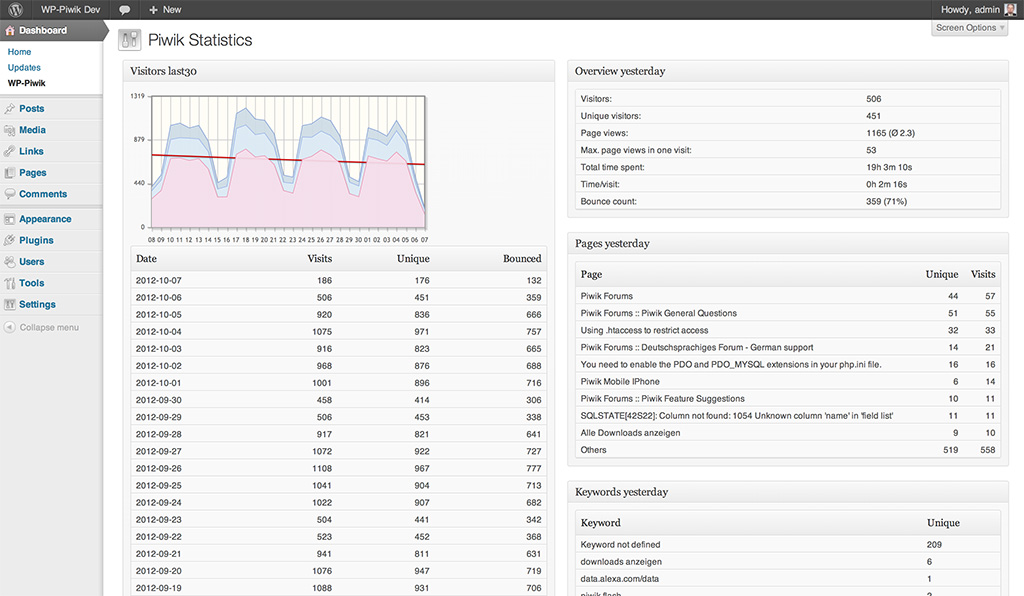
In addition to including your traffic stats, WP-Matomo can add the Matomo tracking code to your WordPress blog and even manage your WordPress network in Matomo:

In this blog post I explain how you can configure WP-Matomo to get great Web Analytics for your wordpress website(s) or for your entire network of sites automatically. But first you need your Matomo server URL and your auth token.
The Matomo URL is the same URL you use to access your Matomo, e.g. http://demo.matomo.cloud is the demo site’s Matomo URL. Your auth token is some kind of a secret password, which allows WP-Matomo to fetch the necessary data from Matomo. To get your super user auth token, just click on the API link in your Matomo dashboard:

The token is stated in the box behind “&token_auth=” (the demo site’s super user auth token is “anonymous”, but yours should look like a string of letters and numbers):

Alternatively you can use a user account’s auth token (see Settings → Users) to restrict the plugin’s access to Matomo:
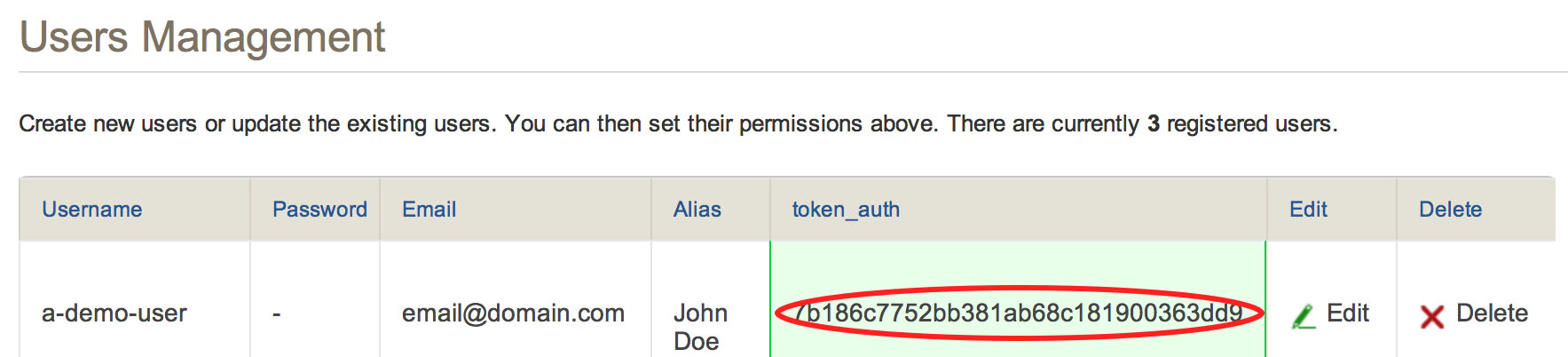
Keep in mind WP-Matomo needs more than view access to create new sites (admin user, or Super User token). If you use an auth token restricted to view access, you have to add your sites to Matomo manually.
Now you got all the information you need to configure WP-Piwik, next choose your type of use:
- 1) I just want to integrate Matomo and my single blog.
- 2) I want to allow my WordPress network’s users to track their blog using their own Matomo setup.
- 3) I want to provide an all-inclusive solution to my WordPress network’s users.
Use case 1) I just want to integrate Matomo and my single blog.
Put WP-Matomo into your plugins directory and activate it using your Plugins page. Now open the settings page (Settings → WP-Piwik) and enter your Matomo path and auth token:
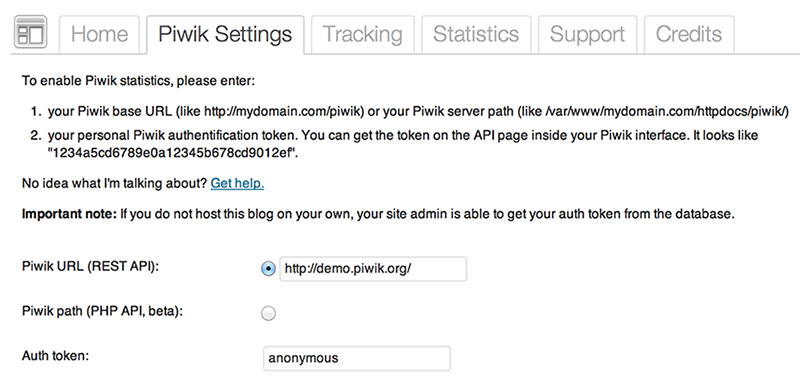
After saving your settings, WP-Matomo will automatically determine your site by its URL. If the site does not exist, WP-Matomo will create a new site – assumed that your auth token is not restricted to view access.
You want WP-Matomo to add the tracking code automatically? Open the Tracking tab and activate the Add tracking code option. That’s all!
Use case 2) I want to allow my WordPress network’s users to track their blog using their own Matomo setup.
If you operate a WordPress network and like to allow all your users to configure WP-Matomo with their own Matomo instance as described before, you have to install WP-Matomo as a site specific plugin. Put WP-Matomo into your plugins folder, but don’t activate it as a network plugin. Instead enable the Plugins page for individual site administrators from the Network Admin’s Settings → Network Settings menu:
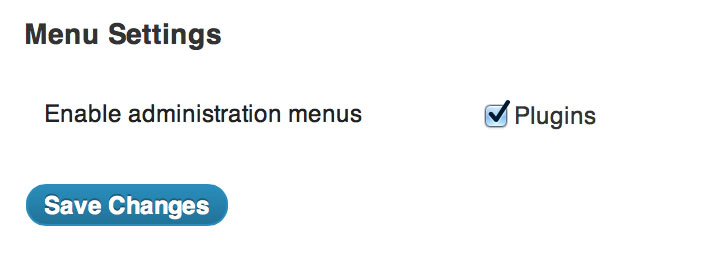
Now each site admin is able to activate and configure WP-Matomo on his own.
Use case 3) I want to provide an all-inclusive solution to my WordPress network’s users.
To run WP-Matomo as a fully automated feature of your WordPress network using a common Matomo instance you can activate it as a so-called network plugin. Put WP-Matomo in your plugins directory and activate it using the Network Admin’s plugin settings:

Now you can configure WP-Matomo as described before, but you have to access WP-Piwik’s settings via Network Admin’s settings. All users can access their own statistics while the network admin is allowed to see all stats. (Please keep in mind WP-Matomo needs more than view access to create new network sites in Matomo automatically.)
Get Support for WP-Piwik
To get support or further information:
- visit the WP-Matomo WordPress.org forum (WordPress.org registration required, English)
- visit my WP-Matomo support board (no registration required, English & German)
- Also check out my blog Braekling.de (German only)


