June '08

29

Posted by

in Plugins

Comments: 10 Comments

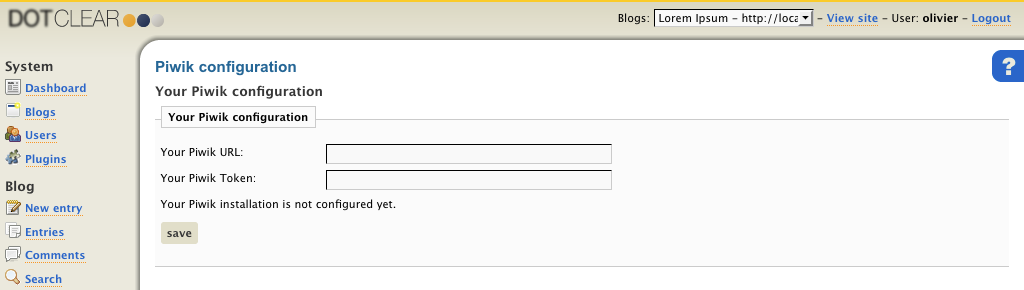
New Plugin: Dotclear2 Piwik integration

Dotclear2 is a publishing platform, similar to WordPress, very popular in France.

Olivier Meunier, the main developer of the project, seemed impressed [fr] by Piwik and decided to write a plugin to make it easy to integrate Piwik in Dotclear.

We are already seeing many Dotclear users starting to use Piwik.

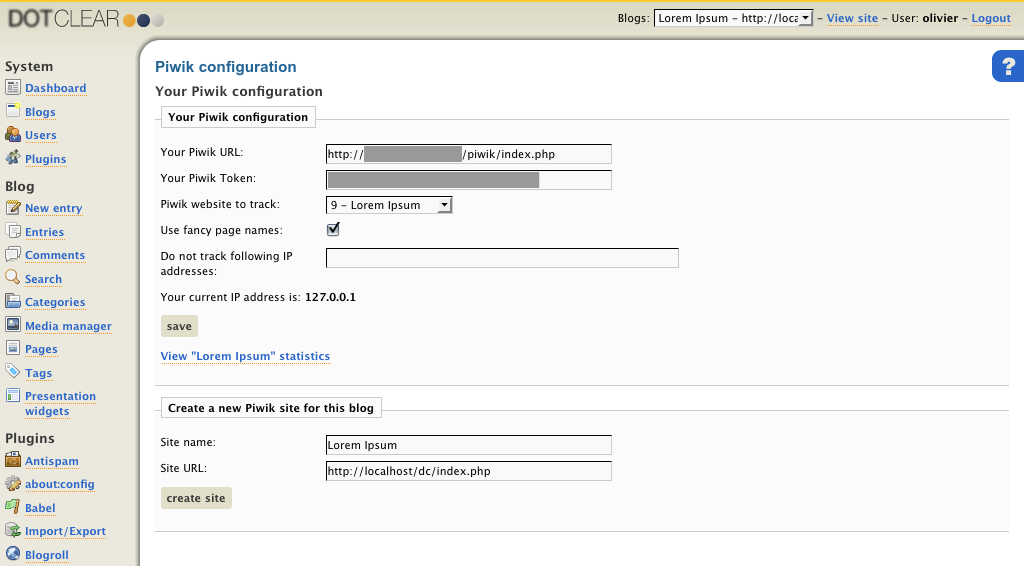
The extension makes you choose wheter you want to use the HTML title of the page as the Action names in Piwik. You can also easily exclude your own visits from being recorded.

Thanks Olivier for your work!

About author
piwik team member

Piwik 团队

Piwik 理念 «通过一个社区,创建先进的国际性开源网站分析平台,让每个用户完全控制自己的数据。»

如果可以,请您现在就为了 Piwik 的未来捐款,或者通过集资平台来赞助一个对您有用的新功能。

Like what you read?

Subscribe to our rss feed: Posts or you can Suggest a topic to write about in the blog or See list of Features

  1. Dave Says:

    May 12, 2011 4:56 pm

    I don’t know why but I cannot make the piwik works on my sites. There are over 200 visits/day but there is not stats in piwik

  2. pandora Says:

    December 15, 2010 8:54 am

    I have found the solution. You need first to install Piwik. I firstly though that to plugin for dotclear was working in stand-alone.

  3. December 14, 2010 10:50 am

    It’s will be my first time to use these PIWIK. If I install it now will the new plug ins be included?

  4. July 24, 2010 8:59 am

    Oh, it is good news for me

  5. Milan Rajcic Says:

    July 4, 2010 7:00 pm

    werry helpful

  6. ThecaTTony Says:

    January 14, 2010 10:10 pm

    The new release of piwik 0.5.4 has “page titles” and “pages url” and this plugin only sends to piwik db the url to both cases.
    A workaround to this problem is to add the js code in a text item in the sidebar navigation.
    The bad thing is that can’t prevent the registration of personal visits.

    Bye!”

  7. fallen earth Says:

    November 25, 2009 8:33 am

    I have found the solution. You need first to install Piwik.

  8. Merimi Says:

    December 10, 2008 1:22 pm

    I want to know how can I integrate the code into dotclear page directly, because it didn’t work on my site either.

  9. Electronick Says:

    August 28, 2008 10:01 am

    Ho, I have found the solution. You need first to install Piwik. I firstly though that to plugin for dotclear was working in stand-alone.

  10. August 7, 2008 2:41 pm

    the API code can be found in the PIWIK installation…
    go to your piwik installation directory to launch it, and on top of screen, u’ll see API (2nd link).

Leave a Reply

Post Comment